

Furnace Not Blowing Hot Air? 5 Things to Check Before You Call


It's a cold morning, you can hear the furnace running, and the air at the vents just isn't warm. A furnace not blowing hot air is one of the most common heating problems homeowners call about, and it's especially frustrating because everything sounds like it's working.
The good news is that several causes are simple enough to check yourself in a few minutes. Here's what to look at first, and when to stop and call.
1. Furnace Not Blowing Hot Air? Start With the Thermostat
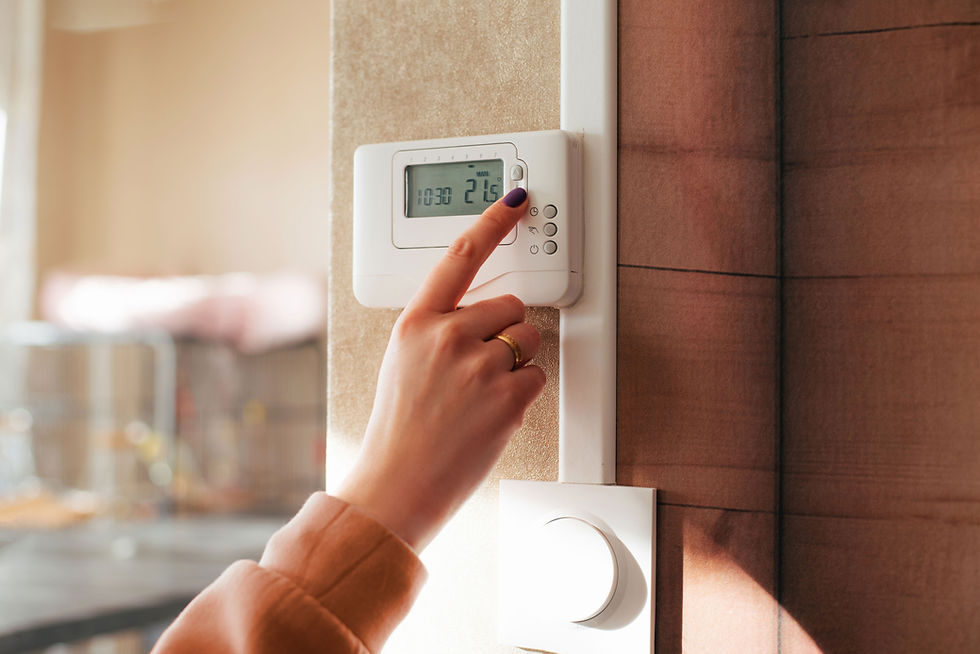
Make sure the thermostat is set to HEAT and the temperature is a few degrees above the current room temperature. Then look at the fan setting. If it's set to ON instead of AUTO, the blower runs constantly, and between heating cycles it pushes out air that hasn't been heated. That air feels cool, and it's one of the most common reasons homeowners think their furnace has quit.
Switch the fan to AUTO and give the system a few minutes. If your thermostat uses batteries, replace them while you're there.
2. Check the Filter
A badly clogged filter restricts airflow. A furnace that can't move enough air can overheat and shut its burners off as a safety measure while the blower keeps running, so air comes out but it isn't warm.
Pull the filter out and hold it up to the light. If you can't see through it, replace it. In Hampton Roads, with our humidity and pollen, filters often need changing sooner than the package suggests.
3. Look at Your Vents and Returns
Walk through the house and make sure supply vents are open and returns aren't blocked by furniture, rugs, or curtains. Closed or blocked vents can leave rooms cold and force the system to work harder, which can contribute to the same overheating problem a dirty filter causes.
4. Confirm the Power Is On
Most furnaces have a power switch that looks like a light switch, usually on or near the unit. Make sure it's on, and check whether the furnace's breaker has tripped. If you reset a breaker once and it trips again, stop and call us. That points to an electrical problem, and it's not something to keep resetting.
5. Have a Heat Pump? Know What's Normal
If your home has a heat pump instead of a gas furnace, the air at the vent usually feels gentler than furnace heat. It can feel cool against your hand while still being warmer than the room.
In cold, damp weather a heat pump also runs short defrost cycles to clear frost from the outdoor unit. You may notice some mist outside and slightly cooler air indoors for a few minutes. The better test is whether your home reaches the temperature you've set. If it doesn't, or the outdoor unit stays covered in ice, have it checked.
When to Stop and Call

If the thermostat, filter, vents, and power all check out and the furnace is still running without making heat, the cause is usually inside the unit: a worn ignitor, a dirty flame sensor, or a safety switch keeping the burners from lighting. These parts involve gas and electrical components, so this is where a technician should take over. Please don't open panels or try to relight anything yourself.
Two situations are not wait-and-see. If you smell gas, leave the house right away and call your gas company or 911 from outside. If a carbon monoxide alarm sounds, get everyone outside and call 911.
When you call us, tell us what you've already checked, when the problem started, and whether every room is affected. It helps us work out what's happening faster.
Comfort Technology serves Hampton, Newport News, Chesapeake, Norfolk, Williamsburg, and the surrounding Peninsula and Hampton Roads area. Call 757-599-9700 or schedule online at comforttechnologyinc.com. And if you'd rather catch problems before they leave you cold, ask us about a fall tune-up or the Comfort Club.


Comments